Paraguacraft Optimized
Closed, pinned FPS packs for 1.8.9 → 26.2. Compatible mods, tier shaders (off) and automatic preconfig for your PC.
Paraguacraft does not steal your FPS. 0% background CPU while you play, Paraguacraft Optimized (ready-made performance packs), Modrinth + CurseForge store, NeoForge/Playit.gg servers, Paraguabot and auto-updating PvP clients.
Windows 10/11 · Updatable
Android · debug APK · sideload
Verifiable SHA-256
Hash published in latest.json
Windows 10 / 11
64-bit · Windows installer
5.7 MB
Installer v1.1.52
Auto-update
Updates from GitHub Releases
 Paraguacraft Launcher PC
 No hassle. The launcher handles the rest.
Click the download button. One .exe file — no weird extra installers.
Run the installer. If WebView2 or Java is missing, the launcher downloads and installs them.
Sign in with Microsoft or offline mode. Pick your version and hit play.
The same Optimized idea as the PC launcher, on your phone or tablet. Debug build for now: sideload the APK — it is not on the Play Store.
Ready-made performance packs. Microsoft or local account, just like on PC.
The app checks latest-mobile.json and prompts when a new APK is on GitHub Releases.
You need to allow unknown sources. This is not LiteCraft and not Bedrock.
Fork of Amethyst (LGPL-3.0), with credit to the original project.
Paraguacraft Mobile
Android 8+ · ARM64 · debug v0.1.20
Download the APK, open it, and install. Android will usually ask for unknown-source permission. Later updates are prompted in-app.
Based on Amethyst · LGPL-3.0
Features
A commercial-grade launcher for competitive players, modders, and friends.
Closed, pinned FPS packs for 1.8.9 → 26.2. Compatible mods, tier shaders (off) and automatic preconfig for your PC.
One click to your favorite server: the launcher picks PvP 1.8.9 or Modern from IP and hint.
Hidden Playit agent (no plugin), live Java/Bedrock IPs, and a Bedrock button from favorites.
Groq with real context: repair instance, sync PvP, or open the server console in one click.
Fabric client 0.9.36: BedWars resources with names (showItemNames) and CDN sync of JAR + pack.
Forge + OptiFine v2.1.62 + Hytils: BedWars showItemNames and compact layout.
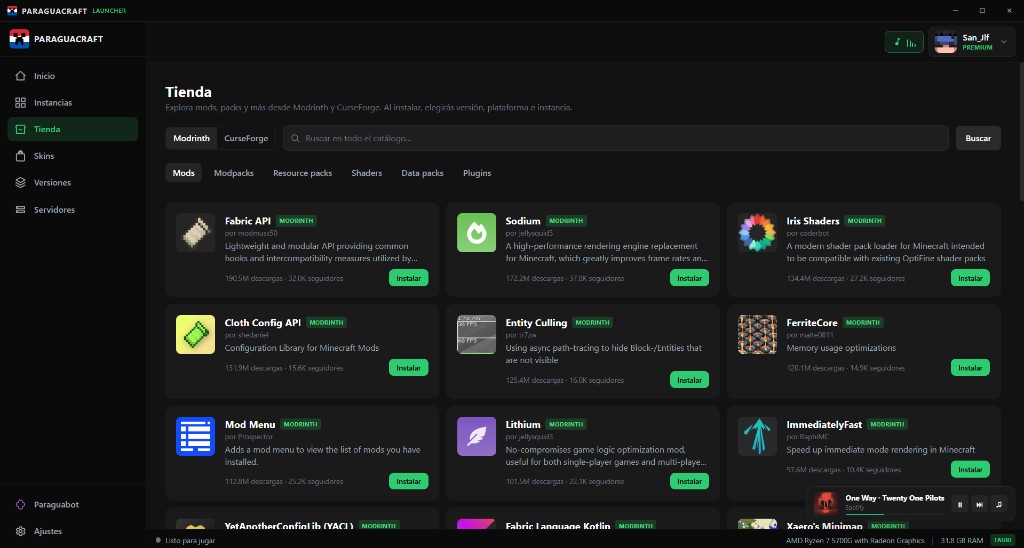
Mods, shaders, packs, plugins and modpacks with real pagination — not just featured. Dynamic version/loader filters.
When installing a mod, choose which dependencies to include with checkboxes before confirm.
Detects RAM/CPU and applies JVM + options.txt per PC tier and loader — without touching tuned PvP presets.
One click: Game Mode, hardware JVM, PvP Boost FPS or Papa Mode (low-end PCs), and the launcher stops using CPU.
Paper, Fabric, Forge, NeoForge and Geyser with Playit.gg, quick console buttons and recommended plugins.
See how much the launcher uses, how much goes to Java, and how much stays free for the OS.
Mods, shaders and resource packs with icon and original name — not just the file name.
Detects corrupt JARs, reinstalls vanilla/loader, shows latest.log, and after a crash offers to disable the suspect mod.
Import CF modpacks from file or store. Export full instances as portable .zip.
Search, add .jar/.zip, remove and open the mods folder without manual explorer digging.
Cached tabs and heavy modpacks in the background — the window never shows as «Not responding».
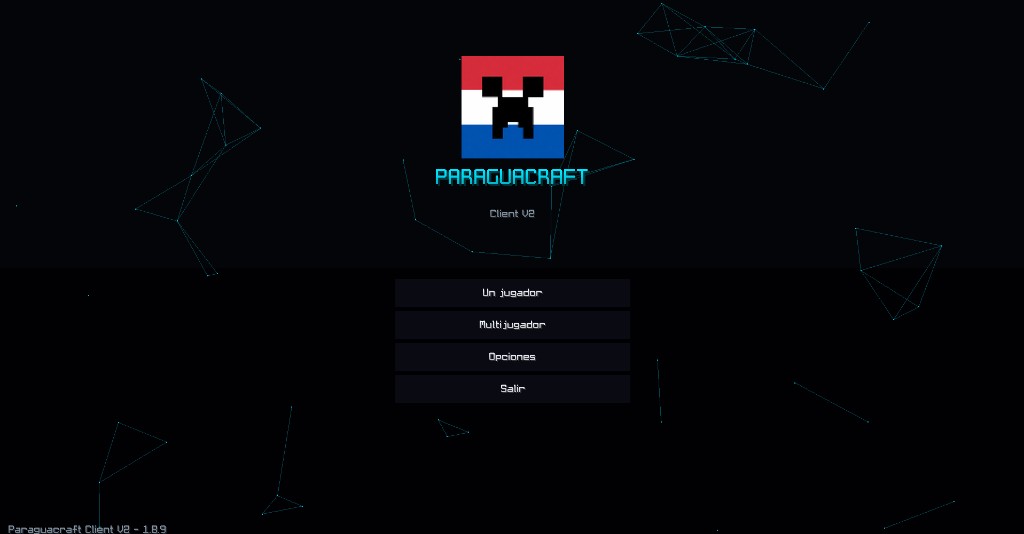
Two competitive clients ready for Hypixel: 1.8.9 v2.1.62 (Forge + OptiFine) and 1.21.11 v0.9.36 (Fabric + Iris). Custom HUD, combat stats, Quick Play, training kits and built-in optimisations. More FPS, zero setup.
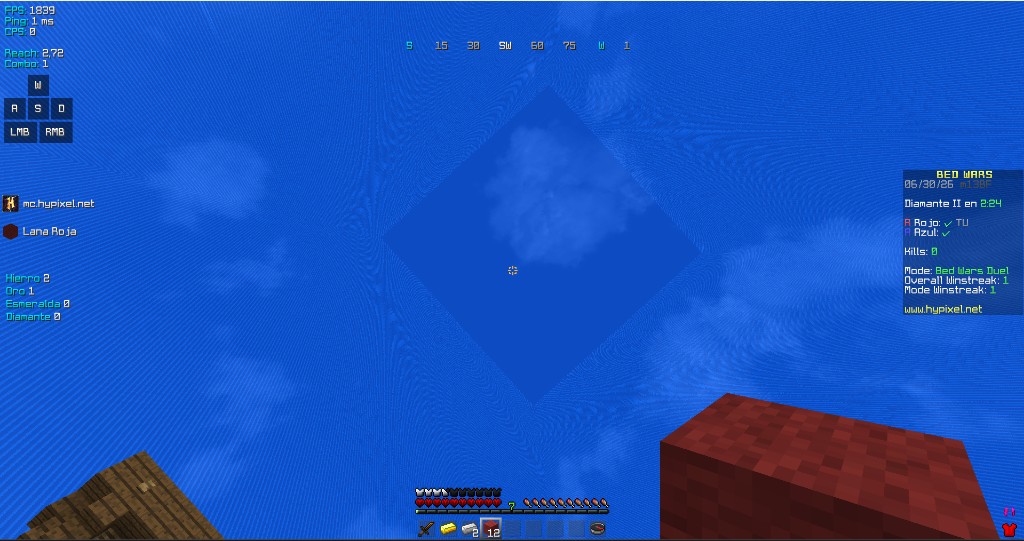
Hits, best combo and deaths per session — reliable client-side. Optional HUD panel (Modern 0.9.36).
OptiFine/Iris + custom culling + memory cleanup. Up to 3–4× more FPS than vanilla.
Reach, combo, keystrokes, CPS, FPS/ping and armor % — fully draggable in the HUD editor.
Visual and performance only. No reach hacks, autoclickers or macros.
Spotify and YouTube/YT Music with 16 or 32 px album art and a fully transparent panel.
Free camera, sprint/sneak toggle, fullbright, colored beds, ping and badges on nametags.
Real FPS
Averages in BedWars (Hypixel) with render distance 4–6 chunks. Vanilla = 1.8.9 with no mods. Numbers vary by GPU, drivers and resolution.
Intel UHD / Ryzen 3 · 4 GB
GTX 1050 / 1650 · 8 GB
RTX 3060+ / Ryzen 5+ · 16 GB
The PvP client installs and updates automatically from the launcher. No separate downloads.
The Paraguacraft experience on modern Minecraft: Fabric + Iris, custom menu, 1.8.9-style HUD and live Discord RPC. Ideal if you want Hypixel or other servers on 1.21.11 without installing mods by hand.
Sodium, Lithium and Dynamic FPS included. Compete mode and PvP parity with 1.8.9.
Custom GUI, Hypixel Quick Play, searchable Mod Menu and exportable profiles.
FPS, rival ping on nametag, staff badges, server HUD, music with cached cover art.
Native borderless (Java 21). Sneak toggle, culling and idle FPS settings.
Quick Play, training world with PvP kits/chests, scoreboard filter and visual QoL.
The launcher downloads ParaguacraftPvP-Modern 0.9.36 and the official pack from GitHub with SHA-1 checks.
Enable the paraguacraft-pvp-modern loader in the launcher → Settings → Modern PvP Client. Version 0.9.36 syncs automatically (latest JAR + official pack).
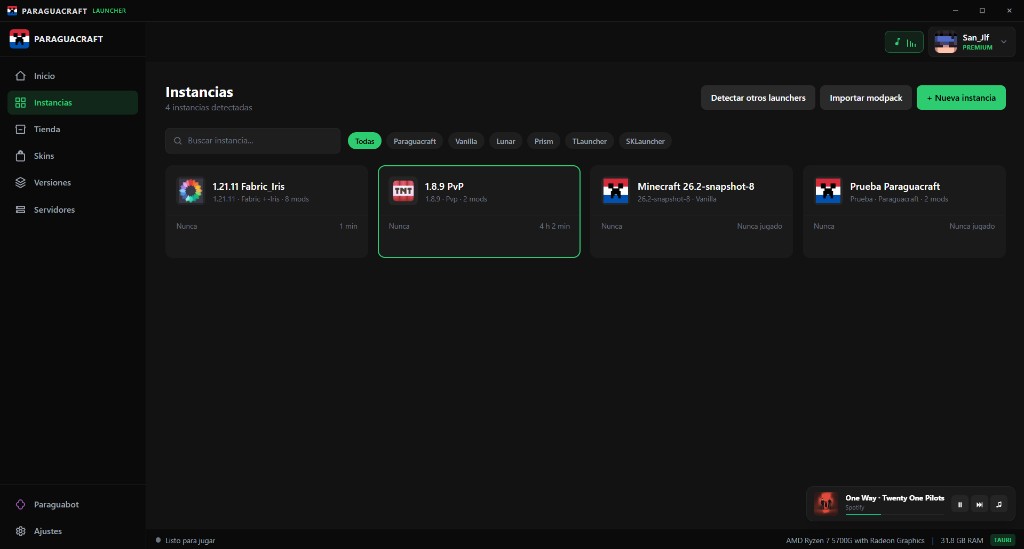
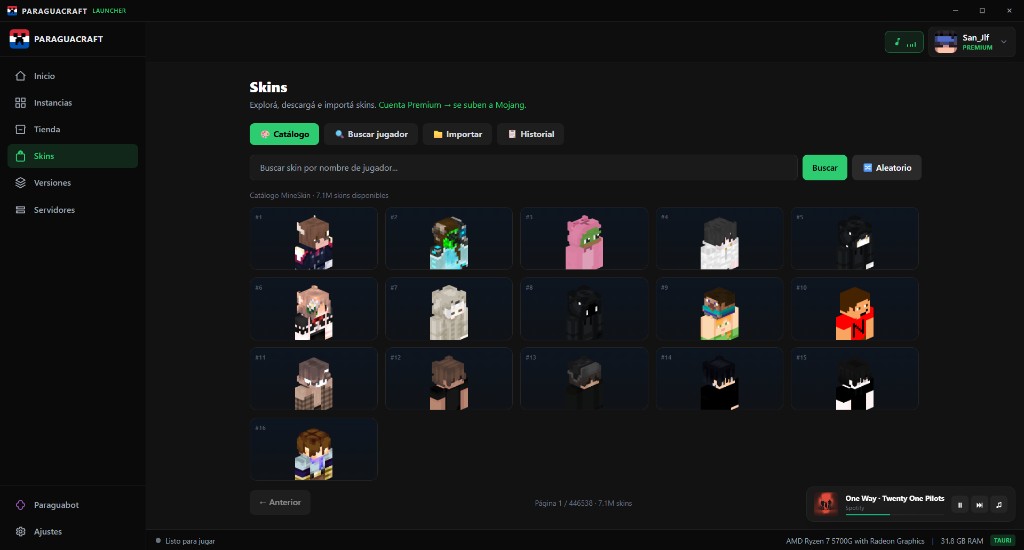
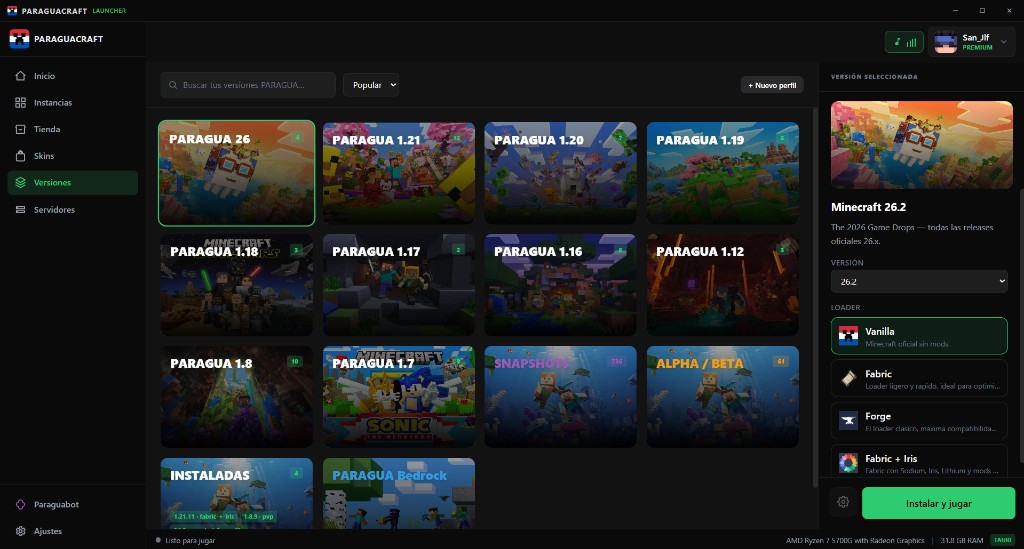
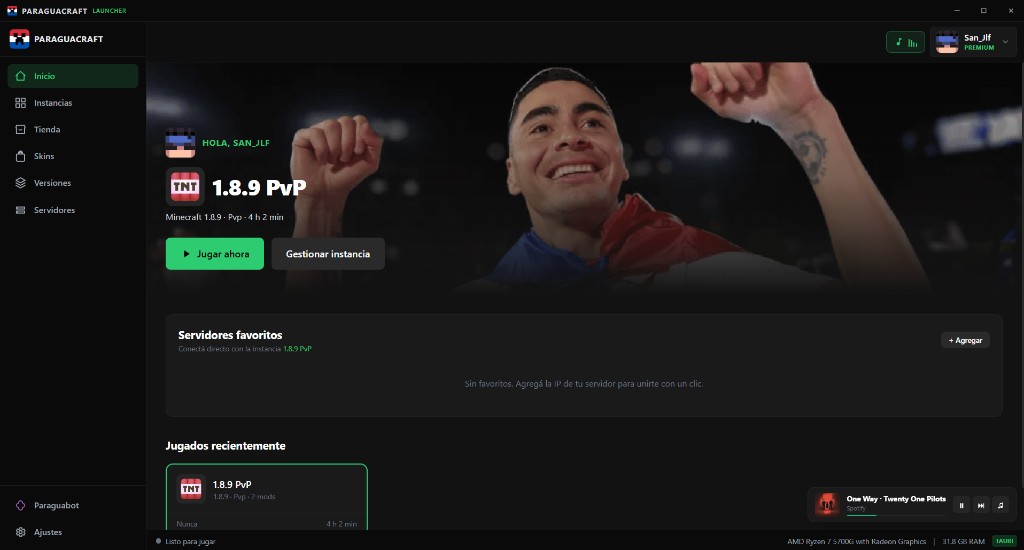
Real launcher screenshots — every main menu section.
Performance
Paraguacraft detects your hardware and applies JVM, RAM and GC flags — no Java expertise required.
0%
CPU idle while playing
Runtime off by design
7+
Supported loaders
Fabric, Forge, Optimized, NeoForge, Quilt, PvP
Auto
JVM optimization
Dynamic engine by PC tier
SHA-256
Built-in verification
Installer + secure auto-update
Lite profile, tuned GC, paginated store without UI freezes, bounded downloads.
Aikar-style G1GC flags, dynamic engine and full modpacks without bottlenecks.
Optional generational ZGC, heavy instances, NeoForge servers and full CF modpacks.
Almost certainly yes. The launcher is lightweight and installs its own dependencies.
Operating system
Windows 10 / 11
64-bit · Home, Pro and LTSC
RAM
4 GB minimum
8 GB recommended for mods
Disk space
500 MB+
Launcher ~200 MB · Minecraft and mods on top
Internet
Required
To download Minecraft and for premium accounts
Java
Automatic
The launcher downloads and installs Java if missing
WebView2
Automatic
Downloaded only if not already installed
Auto-update included: when something new ships, the launcher notifies you.
AlwaysPreTouch y ZGC quedan solo donde el heap es grande y el equipo lo banca. servers.dat en cada frame y el texto ASCII ya no genera basura por cada drawString. Esto es lo que causaba el stutter de cámara. eglSwapInterval(0). eglSwapInterval(0). assembleRelease firma con la key de debug. maxFps 260 y pone Sodium Extra en 0. En 0.1.17, si options.txt ya tenía 60, el toggle no hacía nada y Optimized 1.21.11 seguía capado. fps_limit de Sodium Extra en cada arranque. -Xms al 50% de -Xmx y purga de flags de escritorio hostiles en móvil. fdatasync por cada línea; el visor de log in-game está acotado. Download the launcher — auto-updating PvP clients, performance profiles and SHA-256 verification.
No. Paraguacraft supports Microsoft (premium) accounts and offline / non-premium mode. If you own Minecraft, sign in via web popup or QR device flow. If not, just enter a player name.
Yes. A wizard detects other installs on your PC and migrates name, local skin and configs without touching original files. Works for premium and offline.
All Java Edition versions (Vanilla, Snapshots, Alpha, Beta) plus loaders Fabric, Forge, NeoForge, Quilt and the Paraguacraft Optimized preset (pinned FPS packs for 1.8.9, 1.12.2, 1.18.2, 1.20.1, 1.21.11 and 26.2). Each version/engine pair is its own instance.
A curated performance loader: downloads compatible mods (Sodium/Iris or OptiFine/Embeddium by version), tier shaders disabled by default, and pre-tuned options/configs so you play smooth without maxing the machine.
The binary is integrity-checked with SHA-256 (verify in latest.json) but has no Microsoft EV certificate (those cost hundreds of USD/year). It is 100% open-source — audit the code on GitHub. SmartScreen usually trusts it after a few installs.
Built-in playit.gg: create a Paper/Fabric/Forge/NeoForge server from the UI, press "Open tunnel" and get a public IP. First-time checklist wizard. Geyser supported for Bedrock players.
The in-launcher assistant (Groq). It knows your instance, favorites and servers, and can run actions like Repair instance, Sync PvP or Open server console in one click.
Yes. We support Modrinth .mrpack and CurseForge .zip modpacks — from a file or the integrated store.
On PC the official installer is Windows 10/11 only. Mac/Linux builds are planned but not published yet. On phones there is Paraguacraft Mobile (debug APK).
Yes: Paraguacraft Mobile (debug). Minecraft Java on Android, with Optimized and Microsoft or local accounts. Install as an APK (sideload); the app prompts when we publish a new build on GitHub. Not Bedrock and not a third-party PvP client.